Black Friday & Q4 Google Shopping: The Playbook from Google’s CSS Team
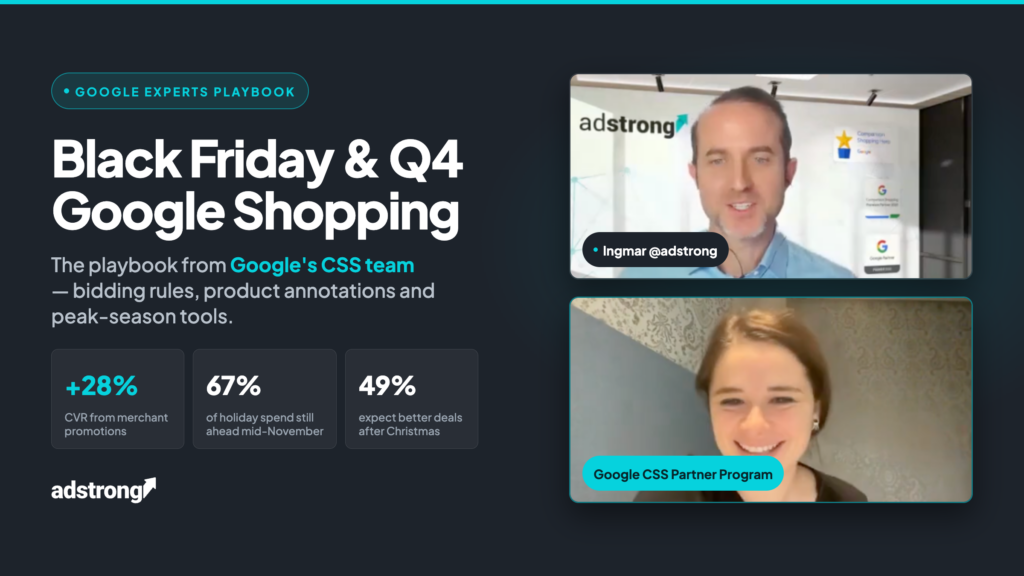
Google’s own Q4 playbook for Shopping Ads – or, as we call it, Black Friday Google Shopping strategy – comes down to four moves: trust Smart Bidding through the demand spikes (with one precise exception), switch on every product annotation you qualify for (merchant promotions alone are worth up to +28% conversion rate per Google’s data) capture the price-sensitive shoppers switching brands, and keep campaigns running after Christmas, when 49% of consumers expect the better deals. This guide is the write-up of adstrong’s webinar with Sevnur Malik, Senior Partner Manager for Google’s CSS Partner Program.
Key facts: Google’s numbers for peak season
| Insight | Number | Source |
|---|---|---|
| Holiday shopping still ahead in mid-November | ~67% | Google holiday shopping study |
| CVR uplift from merchant promotions annotation | up to +28% | |
| CTR uplift from sale price / price drop annotations | up to +7.6% | |
| CTR uplift from product ratings | up to +5% | |
| Conversion value uplift from returns annotations | +3% | |
| UK shoppers who tried a new brand or retailer in a year | 47% (72% among Gen Z & millennials) | |
| Consumers expecting better deals after Christmas | 49% |
Table of contents
- Why mid-November is not too late
- The macro backdrop: price sensitivity and brand switching
- Bidding in peak season: when to touch targets (almost never)
- Product annotations: the cheapest uplift available
- How to highlight deals
- The tools only CSS providers get
- After Christmas: the season isn’t over
- Frequently Asked Questions
Why mid-November is not too late for Black Friday Google Shopping
Per Google’s 2022 holiday shopping study, for example, about 67% of holiday purchases were still ahead on November 16, including every key sales date from Black Friday to Cyber Monday, plus the post-Christmas window. Demand also spreads wider every year: interest in deals starts earlier and finishes later, with a strong build-up in the week before Cyber Week and a measurable post-peak echo. Translation: optimizations shipped in mid-November still hit the majority of the season’s revenue.
The macro backdrop: price sensitivity and brand switching
When budgets tighten, as Google’s data from recent high-inflation years shows clearly, two shopper behaviors emerge:
- Stronger dependence on key sales dates: deal moments concentrate more demand than in previous years.
- More willingness to switch: 47% of UK shoppers tried a new brand or retailer within a year, 72% among Gen Z and millennials. Shoppers who can’t afford their usual store are actively open to yours.
The tactical consequence: generic searches (“best trainers”) are your acquisition window, and they peak outside the key sales dates, when brand searches take over. Plan visibility on generic terms before and between the sales days — that is when new customers are up for grabs.
Bidding in peak season: when to touch targets (almost never)
Sevnur Malik’s guidance was unambiguous — most manual intervention during peak season hurts more than it helps:
- No intraday target changes. Don’t try to “correct” the algorithm hour by hour; Smart Bidding handles normal demand fluctuations on its own.
- The one exception: a conversion-rate shift above ~30% within less than ~3 days (a flash sale starting, a sitewide discount ending). For predictable spikes, use seasonality adjustments preemptively — you’re informing the algorithm, not fighting it.
- Don’t judge daily ROAS during peak. Target ROAS optimizes over a ~30-day window; day-to-day swings are noise. After any settings change, wait one or two conversion cycles before evaluating.
- Before allocating budgets, check last year’s Impression Share and Auction Insights reports to see where you lost visibility during peak.
Product annotations: the cheapest uplift available
Annotations are the badges Google adds to Shopping ads and free listings — ratings, promotions, price drops, shipping and returns info. They differentiate your ad beyond price, and Google’s measured uplifts are substantial for a one-time setup effort:
| Annotation | Measured uplift (Google) | What it requires |
|---|---|---|
| Merchant promotions | up to +28% CVR | Promotions set up in Merchant Center |
| Sale price / price drop | up to +7.6% CTR | sale_price in the feed; price-drop badge is automatic |
| Product ratings | up to +5% CTR | Ratings program / reviews feed |
| Returns annotations | +3% conversion value | Return policy configured in Merchant Center |
| Free & fast shipping | up to +2% CVR | Shipping data in the feed; available in markets including UK, France, Germany |
Two operational notes from the webinar: the algorithm, and not you, decides when annotations display, so implement every one you qualify for to maximize the chances; and the setup is genuinely quick.
How to highlight deals
- Promotions — percentage or money-off deals applied at checkout, including free shipping as a promotion.
- Sale price — the strikethrough price, fully under your control via the sale_price attribute in the feed.
- Price drop badge — automatic: Google detects when your price has dropped vs the recent period. Nothing to configure.
- Store pickup — if you’re an online-to-offline retailer, promote pickup options on Shopping ads: form, pickup method, SLA, done. Made for last-minute shoppers.
The tools only CSS providers get
During peak season, CSS providers have access to reporting that regular advertisers don’t:
- Budget depletion tool — identifies campaigns limited by budget and shows how budget is consumed hour by hour. In Q4, an underfunded campaign on Black Friday morning is money burned; this is the tool that catches it.
- Vertical trends reports — monthly category/market trend data, switching to hourly on key sales days, plus early-trends reports ahead of Black Friday.
- CSS Insights dashboard — portfolio-level recommendations to raise campaign scores and performance.
If your CSS provider has never mentioned these tools to you, ask them, or ask yourself what else they’re not using on your behalf.
What about adstrong? These tools come with CSS status — which adstrong clients and white label CSS owners have. This playbook itself comes from adstrong’s webinar with Google’s CSS Partner Program team: the direct line a Google CSS Premium Partner brings.
After Christmas: the season isn’t over
49% of consumers believe the better deals come after the holidays — and for self-gifting (“the thing I always wanted for myself can wait a few more days”), the post-Christmas window is prime time. Three rules for the final phase:
- Keep campaigns and deals running for the post-Christmas demand, prepared in advance, so your vacation survives.
- Separate campaigns for marked-down leftover inventory, so markdowns don’t drag your core campaigns’ targets.
- Keep ROAS targets at profitable levels or raise them back to pre-sale levels once the peak passes. Don’t let peak-season settings leak into January.
Frequently Asked Questions
When should I adjust Smart Bidding targets during Black Friday?
Almost never manually. The exception per Google’s team: an expected conversion-rate change above ~30% within less than ~3 days — handle it with seasonality adjustments set preemptively. Otherwise, Smart Bidding absorbs the fluctuations on its own.
Which product annotations improve Shopping ads the most?
Per Google’s measurements: merchant promotions (up to +28% CVR), sale price and price drop badges (up to +7.6% CTR), product ratings (up to +5% CTR), and returns annotations (+3% conversion value). Implement every annotation you qualify for — the algorithm decides which ones display.
Is mid-November too late to optimize Q4 campaigns?
No. Per Google’s holiday study, about 67% of holiday shopping is still ahead on November 16, including Black Friday Google Shopping Ads, Cyber Monday and the post-Christmas window.
Should I measure ROAS daily during peak season?
No. Target ROAS optimizes over roughly a 30-day window and day-to-day fluctuations during peak are natural. After changes, wait one or two conversion cycles before judging performance.
What should I do with unsold inventory after Christmas?
Create separate campaigns for marked-down leftover stock so it doesn’t distort your core campaigns, keep targets at profitable levels, and address the post-Christmas self-gifting demand: 49% of consumers expect the best deals after the holidays.

Pietro Calafiore
Pietro Calafiore is Digital Marketing Manager at adstrong, the Google CSS Premium Partner powering Google Shopping and programmatic growth for merchants and agencies across Europe. He focuses on campaign performance and feed optimization to help brands get the most out of Google Shopping. Meet the team
'/%3E%3C/svg%3E)