Disapproved Products in Google Merchant Center: A Fix for Every Error
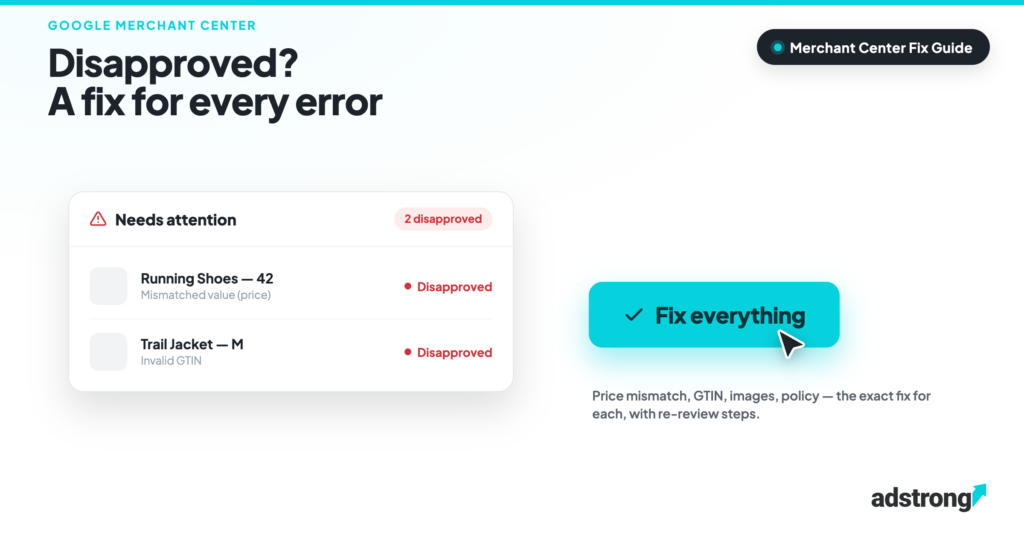
Merchant Center Disapproved, products can get disapproved for one of five reasons: data mismatches between feed and landing page, missing or invalid product identifiers, image violations, policy conflicts, or landing-page problems. Each has a specific fix, and most re-approvals complete within days once the underlying data is corrected. adstrong, a Google CSS Premium Partner managing 20,000+ Merchant Centers, sees every one of these errors daily; this is the field guide.
Below: the exact error messages, what actually causes them, the fix, and how to get re-reviewed fast, plus the difference between a disapproved product and the far more serious account suspension.
Table of contents
- Where do I see why my products are disapproved?
- Every common error and its fix
- Price and availability mismatch
- GTIN and identifier errors
- Image disapprovals
- Policy disapprovals
- Disapproval vs account suspension
- How do I get re-reviewed?
- How do I prevent disapprovals?
- Frequently Asked Questions
Where do I see why my products are disapproved?
Merchant Center → Products → “Needs attention” tab. Every disapproved item lists the specific issue, the affected countries, and, for most data errors, example items. Start there, not in Google Ads: the campaign side only shows you that items are missing, never why.
Filter by severity: “Disapprovals” block serving entirely; “Warnings” limit performance but still serve. Fix disapprovals first.
Every common error and its fix
| Error message | Real cause | Fix |
|---|---|---|
| Mismatched value (price) | Feed price ≠ landing page price (often currency, sale prices, or VAT display) | Align feed price with the page; enable automatic item updates; add price structured data |
| Mismatched value (availability) | Feed says in stock, page says out of stock (or vice versa) | Increase feed upload frequency; enable automatic item updates; add availability structured data |
| Invalid GTIN / GTIN unsupported | Wrong, reused or internal codes in the gtin field | Use the real barcode; for products without one, set identifier_exists = no instead of inventing codes |
| Promotional overlay on image | Badges, watermarks, “SALE” text, logos on the product image | Upload clean images; Merchant Center’s automatic image improvements can strip simple overlays |
| Generic image / image too small | Placeholder images, <100×100 px (250×250 for apparel) | Provide real product photos at 800×800 px or larger |
| Missing required attribute | No title, link, image_link, price, or availability in the feed | Fill the attribute for every variant, feed rules can map or generate values |
| Landing page not working | 404s, soft-404s, geo-redirects, bot-blocked pages | Fix the URLs; let Googlebot through your firewall/CDN; avoid forced redirects by IP |
| Policy violation (category-specific) | Restricted content: healthcare, adult, weapons, trademark terms in titles | Check the policy for your vertical; remove restricted claims; request manual review if wrongly flagged |
Price and availability mismatch, the #1 disapproval
Google crawls your landing pages and compares them with your feed. Any difference, a delayed sale price, VAT shown differently, a stock status that changed since the last upload, triggers disapproval. Three-part fix, in order of impact:
- Enable automatic item updates (Settings → Automatic improvements): Google corrects small price/availability drifts from your page’s structured data instead of disapproving.
- Add Product structured data (schema.org price, availability) to product pages, it is the source automatic updates read from.
- Upload the feed more often. Daily is the minimum for shops with price changes; several times per day during sales periods.
GTIN and identifier errors
Since Google validates GTINs against the GS1 database, invented or recycled codes get caught. The rules that matter: use the manufacturer’s real barcode; never reuse one GTIN across variants; and if a product genuinely has no GTIN (handmade, own-brand), set identifier_exists = no, that is fully supported and better than a fake code, which risks escalating from item disapproval to account-level “misrepresentation”.
Image disapprovals
Google wants the image to show the product and nothing else: no watermarks, no promo badges, no borders, no logos. For apparel, minimum 250×250 px; for everything else 100×100 px, but serve at least 800×800 px if you want decent performance, not just approval. Merchant Center’s “automatic image improvements” can crop simple overlays automatically; enable it, but treat it as a safety net, not a strategy.
Policy disapprovals
Different logic: the product data is fine, the product (or its wording) hits a Shopping policy. Frequent cases: medical claims in titles or descriptions, restricted categories (supplements, adult, weapons-adjacent items), and trademark terms used in comparative wording. The fix is editorial, rewrite titles/descriptions to remove the claim, plus a manual review request when the flag is a false positive, which in restricted-adjacent categories happens regularly.
What about adstrong? As a Google CSS Premium Partner, adstrong resolves Merchant Center issues directly with Google’s CSS team, a channel regular advertisers don’t have. Across 20,000+ Merchant Centers, adstrong has had zero CSS-related account suspensions since 2018.
Disapproval vs account suspension, know the difference
| Product disapproval | Account suspension | |
|---|---|---|
| Scope | Single items | Entire Merchant Center |
| Typical cause | Data errors | Policy: “Misrepresentation”, repeated violations |
| Your ads | Other products keep serving | Everything stops |
| Resolution | Fix data → automatic or requested re-review | Formal review process; days to weeks |
Chronic, unfixed item disapprovals are one of the signals that escalate into suspension, which is the real reason to treat Diagnostics as weekly hygiene, not an emergency room.
How do I get re-reviewed?
- Data errors: fix the feed or page, the next crawl/feed upload clears the issue automatically, usually within 1–3 days.
- Policy flags: in the “Needs attention” tab, use “Request review” after fixing. One shot per issue per cool-down period, request it only when you are sure the fix is live, or you wait out the cool-down.
- Urgent/bulk cases: re-fetch the feed manually and check that the landing pages respond to Googlebot before requesting anything.
How do I prevent disapprovals?
- Automatic item updates ON + Product structured data on every product page
- Feed uploads at least daily; more during sales
- Weekly 10-minute “Needs attention” check, trend, not firefighting
- Clean images at source (no badges in the product photo pipeline)
- Real GTINs or identifier_exists = no, never invented codes
Frequently Asked Questions
Why are my products disapproved in Google Merchant Center?
Almost always one of five causes: price/availability mismatch between feed and landing page, invalid GTINs, image violations (overlays, low resolution), missing required attributes, or Shopping policy conflicts. The exact reason is listed per item under Products → “Needs attention”.
How long does re-approval take?
Data fixes clear automatically with the next crawl or feed upload, typically 1–3 days. Policy issues require a manual “Request review” and can take several business days.
Do disapproved products affect my whole account?
Not directly, approved items keep serving. But chronic unfixed disapprovals are a signal Google weighs toward account-level suspension, so they should never be left to accumulate.
What is a Misrepresentation suspension?
An account-level suspension for data Google considers misleading, fake GTINs, mismatched business info, unrealistic offers. It stops all ads and requires a formal review to lift. Prevention: accurate data, consistent branding, real identifiers.
Can a CSS partner help with Merchant Center issues?
A Premium CSS Partner can escalate issues directly with Google’s CSS team, a support channel standard advertisers lack. adstrong provides this to its clients across 20,000+ managed Merchant Centers.
Merchant Center problems? Our team resolves them directly with Google.

Pietro Calafiore
Pietro Calafiore is Digital Marketing Manager at adstrong, the Google CSS Premium Partner powering Google Shopping and programmatic growth for merchants and agencies across Europe. He focuses on campaign performance and feed optimization to help brands get the most out of Google Shopping. Meet the team
